











- AI-Powered Slide Creation: With SlidesAI for Google Slides, you can input your outline and instantly generate organized slides. The AI formats text, structures sections, and creates visually balanced layouts.
If you are searching for free medical PowerPoint presentation templates that combine structure with flexibility, SlidesAI is your go-to partner!
How to Use This Medical Presentation Template?
- Microsoft PowerPoint: Click on Download > Click on “PowerPoint” > Click on the downloaded file to make a copy and start customizing/editing the template
- Google Slides: Click on Download > Click on “Google Slides” > Click on “Use Template” to make a copy and start customizing/editing the template
Create presentations in seconds. Enter text, and SlidesAI creates customizable slides based on that text in seconds, which complement all our templates.
Create Presentations Easily in Google Slides and PowerPoint
15M+Installs

Frequently Asked Questions
1. Can I match hospital or institutional branding?
Yes. You can customize fonts, colors, logos, and layouts within your medical presentation template.
2. Are these templates suitable for all medical specialties?
Yes. These medical presentation templates are flexible and work across medicine, dentistry, nursing, pharmacy, and public health.
3. Are they suitable for academic and conference presentations?
Yes. The professional design makes them ideal for journals, conferences, grand rounds, and academic settings.
4. Is special software required?
No. You only need Microsoft PowerPoint or Google Slides.
5. Do they work in Google Slides and PowerPoint?
Yes. Each medical presentation Google Slides template and PowerPoint version is designed for cross-platform compatibility.
6. Are they suitable for evidence-based presentations?
Yes. The layouts support charts, references, clinical data, and statistical analysis.
7. Can confidential patient data be presented?
Yes, but ensure all patient identifiers are removed, and HIPAA or institutional privacy guidelines are followed.
8. Are these templates useful for compliance training?
Yes. They work well for regulatory, safety, and hospital policy presentations.
9. Can I include medical images like X-rays or MRIs?
Yes. The medical presentation template supports diagnostic images, lab reports, and scans clearly.
10. Do they support data visualization?
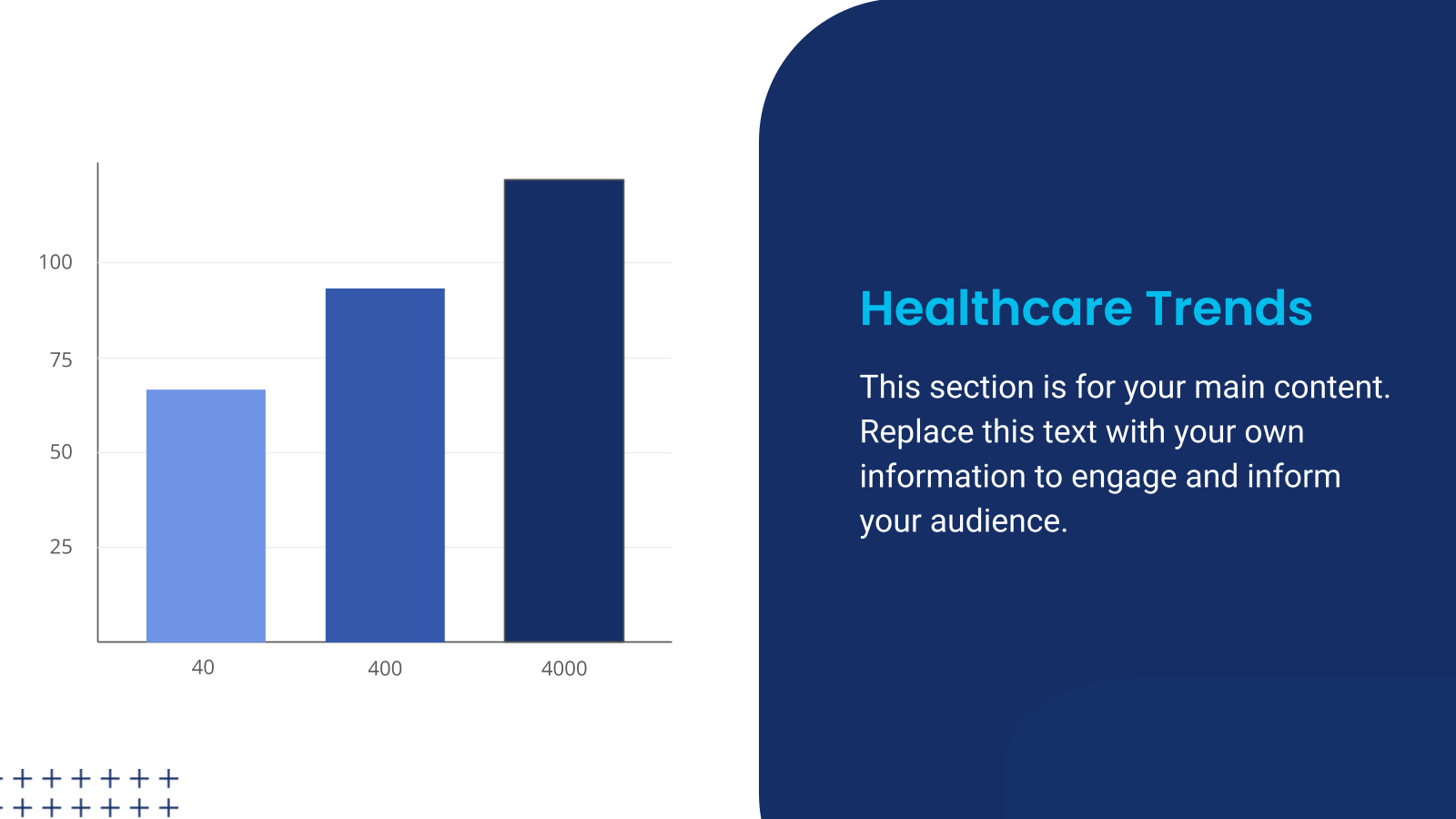
Yes. They are optimized for charts, graphs, infographics, and timelines.
11. Can interdisciplinary teams use them?
Yes. Doctors, nurses, administrators, and allied professionals can collaborate using structured slides.
12. Can medical students use them?
Yes. Students can use the medical presentation template for exams, viva presentations, and coursework.
13. Are they suitable for virtual presentations?
Yes. These medical presentation templates look professional on both projectors and virtual platforms.
14. Are they beginner-friendly?
Yes. Even users without design experience can easily customize and present confidently.
15. Do they include reference slides?
Yes. Dedicated layouts allow proper citation and acknowledgment formatting.

- Professional Results Without Design Expertise: Even beginners can create polished PowerPoint presentation medical templates suitable for conferences and hospital settings.
- AI-Powered Slide Creation: With SlidesAI for Google Slides, you can input your outline and instantly generate organized slides. The AI formats text, structures sections, and creates visually balanced layouts.
If you are searching for free medical PowerPoint presentation templates that combine structure with flexibility, SlidesAI is your go-to partner!
How to Use This Medical Presentation Template?
- Microsoft PowerPoint: Click on Download > Click on “PowerPoint” > Click on the downloaded file to make a copy and start customizing/editing the template
- Google Slides: Click on Download > Click on “Google Slides” > Click on “Use Template” to make a copy and start customizing/editing the template
Create presentations in seconds. Enter text, and SlidesAI creates customizable slides based on that text in seconds, which complement all our templates.
Create Presentations Easily in Google Slides and PowerPoint
15M+Installs

Frequently Asked Questions
1. Can I match hospital or institutional branding?
Yes. You can customize fonts, colors, logos, and layouts within your medical presentation template.
2. Are these templates suitable for all medical specialties?
Yes. These medical presentation templates are flexible and work across medicine, dentistry, nursing, pharmacy, and public health.
3. Are they suitable for academic and conference presentations?
Yes. The professional design makes them ideal for journals, conferences, grand rounds, and academic settings.
4. Is special software required?
No. You only need Microsoft PowerPoint or Google Slides.
5. Do they work in Google Slides and PowerPoint?
Yes. Each medical presentation Google Slides template and PowerPoint version is designed for cross-platform compatibility.
6. Are they suitable for evidence-based presentations?
Yes. The layouts support charts, references, clinical data, and statistical analysis.
7. Can confidential patient data be presented?
Yes, but ensure all patient identifiers are removed, and HIPAA or institutional privacy guidelines are followed.
8. Are these templates useful for compliance training?
Yes. They work well for regulatory, safety, and hospital policy presentations.
9. Can I include medical images like X-rays or MRIs?
Yes. The medical presentation template supports diagnostic images, lab reports, and scans clearly.
10. Do they support data visualization?
Yes. They are optimized for charts, graphs, infographics, and timelines.
11. Can interdisciplinary teams use them?
Yes. Doctors, nurses, administrators, and allied professionals can collaborate using structured slides.
12. Can medical students use them?
Yes. Students can use the medical presentation template for exams, viva presentations, and coursework.
13. Are they suitable for virtual presentations?
Yes. These medical presentation templates look professional on both projectors and virtual platforms.
14. Are they beginner-friendly?
Yes. Even users without design experience can easily customize and present confidently.
15. Do they include reference slides?
Yes. Dedicated layouts allow proper citation and acknowledgment formatting.
- Visual Consistency: Pre-defined themes ensure your medical presentation template maintains a cohesive look throughout.
- Professional Results Without Design Expertise: Even beginners can create polished PowerPoint presentation medical templates suitable for conferences and hospital settings.
- AI-Powered Slide Creation: With SlidesAI for Google Slides, you can input your outline and instantly generate organized slides. The AI formats text, structures sections, and creates visually balanced layouts.
If you are searching for free medical PowerPoint presentation templates that combine structure with flexibility, SlidesAI is your go-to partner!
How to Use This Medical Presentation Template?
- Microsoft PowerPoint: Click on Download > Click on “PowerPoint” > Click on the downloaded file to make a copy and start customizing/editing the template
- Google Slides: Click on Download > Click on “Google Slides” > Click on “Use Template” to make a copy and start customizing/editing the template
Create presentations in seconds. Enter text, and SlidesAI creates customizable slides based on that text in seconds, which complement all our templates.
Create Presentations Easily in Google Slides and PowerPoint
15M+Installs

Frequently Asked Questions
1. Can I match hospital or institutional branding?
Yes. You can customize fonts, colors, logos, and layouts within your medical presentation template.
2. Are these templates suitable for all medical specialties?
Yes. These medical presentation templates are flexible and work across medicine, dentistry, nursing, pharmacy, and public health.
3. Are they suitable for academic and conference presentations?
Yes. The professional design makes them ideal for journals, conferences, grand rounds, and academic settings.
4. Is special software required?
No. You only need Microsoft PowerPoint or Google Slides.
5. Do they work in Google Slides and PowerPoint?
Yes. Each medical presentation Google Slides template and PowerPoint version is designed for cross-platform compatibility.
6. Are they suitable for evidence-based presentations?
Yes. The layouts support charts, references, clinical data, and statistical analysis.
7. Can confidential patient data be presented?
Yes, but ensure all patient identifiers are removed, and HIPAA or institutional privacy guidelines are followed.
8. Are these templates useful for compliance training?
Yes. They work well for regulatory, safety, and hospital policy presentations.
9. Can I include medical images like X-rays or MRIs?
Yes. The medical presentation template supports diagnostic images, lab reports, and scans clearly.
10. Do they support data visualization?
Yes. They are optimized for charts, graphs, infographics, and timelines.
11. Can interdisciplinary teams use them?
Yes. Doctors, nurses, administrators, and allied professionals can collaborate using structured slides.
12. Can medical students use them?
Yes. Students can use the medical presentation template for exams, viva presentations, and coursework.
13. Are they suitable for virtual presentations?
Yes. These medical presentation templates look professional on both projectors and virtual platforms.
14. Are they beginner-friendly?
Yes. Even users without design experience can easily customize and present confidently.
15. Do they include reference slides?
Yes. Dedicated layouts allow proper citation and acknowledgment formatting.

- Pre-Designed Professional Slides: Begin with expertly structured layouts instead of blank slides. This saves significant preparation time.
- Visual Consistency: Pre-defined themes ensure your medical presentation template maintains a cohesive look throughout.
- Professional Results Without Design Expertise: Even beginners can create polished PowerPoint presentation medical templates suitable for conferences and hospital settings.
- AI-Powered Slide Creation: With SlidesAI for Google Slides, you can input your outline and instantly generate organized slides. The AI formats text, structures sections, and creates visually balanced layouts.
If you are searching for free medical PowerPoint presentation templates that combine structure with flexibility, SlidesAI is your go-to partner!
How to Use This Medical Presentation Template?
- Microsoft PowerPoint: Click on Download > Click on “PowerPoint” > Click on the downloaded file to make a copy and start customizing/editing the template
- Google Slides: Click on Download > Click on “Google Slides” > Click on “Use Template” to make a copy and start customizing/editing the template
Create presentations in seconds. Enter text, and SlidesAI creates customizable slides based on that text in seconds, which complement all our templates.
Create Presentations Easily in Google Slides and PowerPoint
15M+Installs

Frequently Asked Questions
1. Can I match hospital or institutional branding?
Yes. You can customize fonts, colors, logos, and layouts within your medical presentation template.
2. Are these templates suitable for all medical specialties?
Yes. These medical presentation templates are flexible and work across medicine, dentistry, nursing, pharmacy, and public health.
3. Are they suitable for academic and conference presentations?
Yes. The professional design makes them ideal for journals, conferences, grand rounds, and academic settings.
4. Is special software required?
No. You only need Microsoft PowerPoint or Google Slides.
5. Do they work in Google Slides and PowerPoint?
Yes. Each medical presentation Google Slides template and PowerPoint version is designed for cross-platform compatibility.
6. Are they suitable for evidence-based presentations?
Yes. The layouts support charts, references, clinical data, and statistical analysis.
7. Can confidential patient data be presented?
Yes, but ensure all patient identifiers are removed, and HIPAA or institutional privacy guidelines are followed.
8. Are these templates useful for compliance training?
Yes. They work well for regulatory, safety, and hospital policy presentations.
9. Can I include medical images like X-rays or MRIs?
Yes. The medical presentation template supports diagnostic images, lab reports, and scans clearly.
10. Do they support data visualization?
Yes. They are optimized for charts, graphs, infographics, and timelines.
11. Can interdisciplinary teams use them?
Yes. Doctors, nurses, administrators, and allied professionals can collaborate using structured slides.
12. Can medical students use them?
Yes. Students can use the medical presentation template for exams, viva presentations, and coursework.
13. Are they suitable for virtual presentations?
Yes. These medical presentation templates look professional on both projectors and virtual platforms.
14. Are they beginner-friendly?
Yes. Even users without design experience can easily customize and present confidently.
15. Do they include reference slides?
Yes. Dedicated layouts allow proper citation and acknowledgment formatting.

- Complete Customization: Every medical PowerPoint presentation template can be edited to match hospital branding, institutional guidelines, or research needs.
- Pre-Designed Professional Slides: Begin with expertly structured layouts instead of blank slides. This saves significant preparation time.
- Visual Consistency: Pre-defined themes ensure your medical presentation template maintains a cohesive look throughout.
- Professional Results Without Design Expertise: Even beginners can create polished PowerPoint presentation medical templates suitable for conferences and hospital settings.
- AI-Powered Slide Creation: With SlidesAI for Google Slides, you can input your outline and instantly generate organized slides. The AI formats text, structures sections, and creates visually balanced layouts.
If you are searching for free medical PowerPoint presentation templates that combine structure with flexibility, SlidesAI is your go-to partner!
How to Use This Medical Presentation Template?
- Microsoft PowerPoint: Click on Download > Click on “PowerPoint” > Click on the downloaded file to make a copy and start customizing/editing the template
- Google Slides: Click on Download > Click on “Google Slides” > Click on “Use Template” to make a copy and start customizing/editing the template
Create presentations in seconds. Enter text, and SlidesAI creates customizable slides based on that text in seconds, which complement all our templates.
Create Presentations Easily in Google Slides and PowerPoint
15M+Installs

Frequently Asked Questions
1. Can I match hospital or institutional branding?
Yes. You can customize fonts, colors, logos, and layouts within your medical presentation template.
2. Are these templates suitable for all medical specialties?
Yes. These medical presentation templates are flexible and work across medicine, dentistry, nursing, pharmacy, and public health.
3. Are they suitable for academic and conference presentations?
Yes. The professional design makes them ideal for journals, conferences, grand rounds, and academic settings.
4. Is special software required?
No. You only need Microsoft PowerPoint or Google Slides.
5. Do they work in Google Slides and PowerPoint?
Yes. Each medical presentation Google Slides template and PowerPoint version is designed for cross-platform compatibility.
6. Are they suitable for evidence-based presentations?
Yes. The layouts support charts, references, clinical data, and statistical analysis.
7. Can confidential patient data be presented?
Yes, but ensure all patient identifiers are removed, and HIPAA or institutional privacy guidelines are followed.
8. Are these templates useful for compliance training?
Yes. They work well for regulatory, safety, and hospital policy presentations.
9. Can I include medical images like X-rays or MRIs?
Yes. The medical presentation template supports diagnostic images, lab reports, and scans clearly.
10. Do they support data visualization?
Yes. They are optimized for charts, graphs, infographics, and timelines.
11. Can interdisciplinary teams use them?
Yes. Doctors, nurses, administrators, and allied professionals can collaborate using structured slides.
12. Can medical students use them?
Yes. Students can use the medical presentation template for exams, viva presentations, and coursework.
13. Are they suitable for virtual presentations?
Yes. These medical presentation templates look professional on both projectors and virtual platforms.
14. Are they beginner-friendly?
Yes. Even users without design experience can easily customize and present confidently.
15. Do they include reference slides?
Yes. Dedicated layouts allow proper citation and acknowledgment formatting.

- Meetings for Healthcare: Use medical presentation templates for departmental briefings, morbidity and mortality conferences, quality improvement initiatives, and compliance discussions.
Whether you need free medical PowerPoint presentation templates for quick preparation or advanced editable layouts for detailed discussions, this format ensures professionalism.
What Makes These Medical Presentation Templates Special?
Not all medical presentation templates offer the same flexibility and efficiency. SlidesAI templates provide distinct advantages:
- Complete Customization: Every medical PowerPoint presentation template can be edited to match hospital branding, institutional guidelines, or research needs.
- Pre-Designed Professional Slides: Begin with expertly structured layouts instead of blank slides. This saves significant preparation time.
- Visual Consistency: Pre-defined themes ensure your medical presentation template maintains a cohesive look throughout.
- Professional Results Without Design Expertise: Even beginners can create polished PowerPoint presentation medical templates suitable for conferences and hospital settings.
- AI-Powered Slide Creation: With SlidesAI for Google Slides, you can input your outline and instantly generate organized slides. The AI formats text, structures sections, and creates visually balanced layouts.
If you are searching for free medical PowerPoint presentation templates that combine structure with flexibility, SlidesAI is your go-to partner!
How to Use This Medical Presentation Template?
- Microsoft PowerPoint: Click on Download > Click on “PowerPoint” > Click on the downloaded file to make a copy and start customizing/editing the template
- Google Slides: Click on Download > Click on “Google Slides” > Click on “Use Template” to make a copy and start customizing/editing the template
Create presentations in seconds. Enter text, and SlidesAI creates customizable slides based on that text in seconds, which complement all our templates.
Create Presentations Easily in Google Slides and PowerPoint
15M+Installs

Frequently Asked Questions
1. Can I match hospital or institutional branding?
Yes. You can customize fonts, colors, logos, and layouts within your medical presentation template.
2. Are these templates suitable for all medical specialties?
Yes. These medical presentation templates are flexible and work across medicine, dentistry, nursing, pharmacy, and public health.
3. Are they suitable for academic and conference presentations?
Yes. The professional design makes them ideal for journals, conferences, grand rounds, and academic settings.
4. Is special software required?
No. You only need Microsoft PowerPoint or Google Slides.
5. Do they work in Google Slides and PowerPoint?
Yes. Each medical presentation Google Slides template and PowerPoint version is designed for cross-platform compatibility.
6. Are they suitable for evidence-based presentations?
Yes. The layouts support charts, references, clinical data, and statistical analysis.
7. Can confidential patient data be presented?
Yes, but ensure all patient identifiers are removed, and HIPAA or institutional privacy guidelines are followed.
8. Are these templates useful for compliance training?
Yes. They work well for regulatory, safety, and hospital policy presentations.
9. Can I include medical images like X-rays or MRIs?
Yes. The medical presentation template supports diagnostic images, lab reports, and scans clearly.
10. Do they support data visualization?
Yes. They are optimized for charts, graphs, infographics, and timelines.
11. Can interdisciplinary teams use them?
Yes. Doctors, nurses, administrators, and allied professionals can collaborate using structured slides.
12. Can medical students use them?
Yes. Students can use the medical presentation template for exams, viva presentations, and coursework.
13. Are they suitable for virtual presentations?
Yes. These medical presentation templates look professional on both projectors and virtual platforms.
14. Are they beginner-friendly?
Yes. Even users without design experience can easily customize and present confidently.
15. Do they include reference slides?
Yes. Dedicated layouts allow proper citation and acknowledgment formatting.
- Patient Awareness: Create simplified slides that explain procedures, diagnoses, or treatment plans clearly and visually using structured PowerPoint presentation medical templates.
- Meetings for Healthcare: Use medical presentation templates for departmental briefings, morbidity and mortality conferences, quality improvement initiatives, and compliance discussions.
Whether you need free medical PowerPoint presentation templates for quick preparation or advanced editable layouts for detailed discussions, this format ensures professionalism.
What Makes These Medical Presentation Templates Special?
Not all medical presentation templates offer the same flexibility and efficiency. SlidesAI templates provide distinct advantages:
- Complete Customization: Every medical PowerPoint presentation template can be edited to match hospital branding, institutional guidelines, or research needs.
- Pre-Designed Professional Slides: Begin with expertly structured layouts instead of blank slides. This saves significant preparation time.
- Visual Consistency: Pre-defined themes ensure your medical presentation template maintains a cohesive look throughout.
- Professional Results Without Design Expertise: Even beginners can create polished PowerPoint presentation medical templates suitable for conferences and hospital settings.
- AI-Powered Slide Creation: With SlidesAI for Google Slides, you can input your outline and instantly generate organized slides. The AI formats text, structures sections, and creates visually balanced layouts.
If you are searching for free medical PowerPoint presentation templates that combine structure with flexibility, SlidesAI is your go-to partner!
How to Use This Medical Presentation Template?
- Microsoft PowerPoint: Click on Download > Click on “PowerPoint” > Click on the downloaded file to make a copy and start customizing/editing the template
- Google Slides: Click on Download > Click on “Google Slides” > Click on “Use Template” to make a copy and start customizing/editing the template
Create presentations in seconds. Enter text, and SlidesAI creates customizable slides based on that text in seconds, which complement all our templates.
Create Presentations Easily in Google Slides and PowerPoint
15M+Installs

Frequently Asked Questions
1. Can I match hospital or institutional branding?
Yes. You can customize fonts, colors, logos, and layouts within your medical presentation template.
2. Are these templates suitable for all medical specialties?
Yes. These medical presentation templates are flexible and work across medicine, dentistry, nursing, pharmacy, and public health.
3. Are they suitable for academic and conference presentations?
Yes. The professional design makes them ideal for journals, conferences, grand rounds, and academic settings.
4. Is special software required?
No. You only need Microsoft PowerPoint or Google Slides.
5. Do they work in Google Slides and PowerPoint?
Yes. Each medical presentation Google Slides template and PowerPoint version is designed for cross-platform compatibility.
6. Are they suitable for evidence-based presentations?
Yes. The layouts support charts, references, clinical data, and statistical analysis.
7. Can confidential patient data be presented?
Yes, but ensure all patient identifiers are removed, and HIPAA or institutional privacy guidelines are followed.
8. Are these templates useful for compliance training?
Yes. They work well for regulatory, safety, and hospital policy presentations.
9. Can I include medical images like X-rays or MRIs?
Yes. The medical presentation template supports diagnostic images, lab reports, and scans clearly.
10. Do they support data visualization?
Yes. They are optimized for charts, graphs, infographics, and timelines.
11. Can interdisciplinary teams use them?
Yes. Doctors, nurses, administrators, and allied professionals can collaborate using structured slides.
12. Can medical students use them?
Yes. Students can use the medical presentation template for exams, viva presentations, and coursework.
13. Are they suitable for virtual presentations?
Yes. These medical presentation templates look professional on both projectors and virtual platforms.
14. Are they beginner-friendly?
Yes. Even users without design experience can easily customize and present confidently.
15. Do they include reference slides?
Yes. Dedicated layouts allow proper citation and acknowledgment formatting.
- Training & Development: Ideal for lectures, grand rounds, CME sessions, and medical school presentations where organization and clarity are critical.
- Patient Awareness: Create simplified slides that explain procedures, diagnoses, or treatment plans clearly and visually using structured PowerPoint presentation medical templates.
- Meetings for Healthcare: Use medical presentation templates for departmental briefings, morbidity and mortality conferences, quality improvement initiatives, and compliance discussions.
Whether you need free medical PowerPoint presentation templates for quick preparation or advanced editable layouts for detailed discussions, this format ensures professionalism.
What Makes These Medical Presentation Templates Special?
Not all medical presentation templates offer the same flexibility and efficiency. SlidesAI templates provide distinct advantages:
- Complete Customization: Every medical PowerPoint presentation template can be edited to match hospital branding, institutional guidelines, or research needs.
- Pre-Designed Professional Slides: Begin with expertly structured layouts instead of blank slides. This saves significant preparation time.
- Visual Consistency: Pre-defined themes ensure your medical presentation template maintains a cohesive look throughout.
- Professional Results Without Design Expertise: Even beginners can create polished PowerPoint presentation medical templates suitable for conferences and hospital settings.
- AI-Powered Slide Creation: With SlidesAI for Google Slides, you can input your outline and instantly generate organized slides. The AI formats text, structures sections, and creates visually balanced layouts.
If you are searching for free medical PowerPoint presentation templates that combine structure with flexibility, SlidesAI is your go-to partner!
How to Use This Medical Presentation Template?
- Microsoft PowerPoint: Click on Download > Click on “PowerPoint” > Click on the downloaded file to make a copy and start customizing/editing the template
- Google Slides: Click on Download > Click on “Google Slides” > Click on “Use Template” to make a copy and start customizing/editing the template
Create presentations in seconds. Enter text, and SlidesAI creates customizable slides based on that text in seconds, which complement all our templates.
Create Presentations Easily in Google Slides and PowerPoint
15M+Installs

Frequently Asked Questions
1. Can I match hospital or institutional branding?
Yes. You can customize fonts, colors, logos, and layouts within your medical presentation template.
2. Are these templates suitable for all medical specialties?
Yes. These medical presentation templates are flexible and work across medicine, dentistry, nursing, pharmacy, and public health.
3. Are they suitable for academic and conference presentations?
Yes. The professional design makes them ideal for journals, conferences, grand rounds, and academic settings.
4. Is special software required?
No. You only need Microsoft PowerPoint or Google Slides.
5. Do they work in Google Slides and PowerPoint?
Yes. Each medical presentation Google Slides template and PowerPoint version is designed for cross-platform compatibility.
6. Are they suitable for evidence-based presentations?
Yes. The layouts support charts, references, clinical data, and statistical analysis.
7. Can confidential patient data be presented?
Yes, but ensure all patient identifiers are removed, and HIPAA or institutional privacy guidelines are followed.
8. Are these templates useful for compliance training?
Yes. They work well for regulatory, safety, and hospital policy presentations.
9. Can I include medical images like X-rays or MRIs?
Yes. The medical presentation template supports diagnostic images, lab reports, and scans clearly.
10. Do they support data visualization?
Yes. They are optimized for charts, graphs, infographics, and timelines.
11. Can interdisciplinary teams use them?
Yes. Doctors, nurses, administrators, and allied professionals can collaborate using structured slides.
12. Can medical students use them?
Yes. Students can use the medical presentation template for exams, viva presentations, and coursework.
13. Are they suitable for virtual presentations?
Yes. These medical presentation templates look professional on both projectors and virtual platforms.
14. Are they beginner-friendly?
Yes. Even users without design experience can easily customize and present confidently.
15. Do they include reference slides?
Yes. Dedicated layouts allow proper citation and acknowledgment formatting.
- Clinical Case Presentations: Present patient history, diagnosis, imaging results, treatment approaches, and outcomes in a structured format that is easy for colleagues and supervisors to understand.
- Training & Development: Ideal for lectures, grand rounds, CME sessions, and medical school presentations where organization and clarity are critical.
- Patient Awareness: Create simplified slides that explain procedures, diagnoses, or treatment plans clearly and visually using structured PowerPoint presentation medical templates.
- Meetings for Healthcare: Use medical presentation templates for departmental briefings, morbidity and mortality conferences, quality improvement initiatives, and compliance discussions.
Whether you need free medical PowerPoint presentation templates for quick preparation or advanced editable layouts for detailed discussions, this format ensures professionalism.
What Makes These Medical Presentation Templates Special?
Not all medical presentation templates offer the same flexibility and efficiency. SlidesAI templates provide distinct advantages:
- Complete Customization: Every medical PowerPoint presentation template can be edited to match hospital branding, institutional guidelines, or research needs.
- Pre-Designed Professional Slides: Begin with expertly structured layouts instead of blank slides. This saves significant preparation time.
- Visual Consistency: Pre-defined themes ensure your medical presentation template maintains a cohesive look throughout.
- Professional Results Without Design Expertise: Even beginners can create polished PowerPoint presentation medical templates suitable for conferences and hospital settings.
- AI-Powered Slide Creation: With SlidesAI for Google Slides, you can input your outline and instantly generate organized slides. The AI formats text, structures sections, and creates visually balanced layouts.
If you are searching for free medical PowerPoint presentation templates that combine structure with flexibility, SlidesAI is your go-to partner!
How to Use This Medical Presentation Template?
- Microsoft PowerPoint: Click on Download > Click on “PowerPoint” > Click on the downloaded file to make a copy and start customizing/editing the template
- Google Slides: Click on Download > Click on “Google Slides” > Click on “Use Template” to make a copy and start customizing/editing the template
Create presentations in seconds. Enter text, and SlidesAI creates customizable slides based on that text in seconds, which complement all our templates.
Create Presentations Easily in Google Slides and PowerPoint
15M+Installs

Frequently Asked Questions
1. Can I match hospital or institutional branding?
Yes. You can customize fonts, colors, logos, and layouts within your medical presentation template.
2. Are these templates suitable for all medical specialties?
Yes. These medical presentation templates are flexible and work across medicine, dentistry, nursing, pharmacy, and public health.
3. Are they suitable for academic and conference presentations?
Yes. The professional design makes them ideal for journals, conferences, grand rounds, and academic settings.
4. Is special software required?
No. You only need Microsoft PowerPoint or Google Slides.
5. Do they work in Google Slides and PowerPoint?
Yes. Each medical presentation Google Slides template and PowerPoint version is designed for cross-platform compatibility.
6. Are they suitable for evidence-based presentations?
Yes. The layouts support charts, references, clinical data, and statistical analysis.
7. Can confidential patient data be presented?
Yes, but ensure all patient identifiers are removed, and HIPAA or institutional privacy guidelines are followed.
8. Are these templates useful for compliance training?
Yes. They work well for regulatory, safety, and hospital policy presentations.
9. Can I include medical images like X-rays or MRIs?
Yes. The medical presentation template supports diagnostic images, lab reports, and scans clearly.
10. Do they support data visualization?
Yes. They are optimized for charts, graphs, infographics, and timelines.
11. Can interdisciplinary teams use them?
Yes. Doctors, nurses, administrators, and allied professionals can collaborate using structured slides.
12. Can medical students use them?
Yes. Students can use the medical presentation template for exams, viva presentations, and coursework.
13. Are they suitable for virtual presentations?
Yes. These medical presentation templates look professional on both projectors and virtual platforms.
14. Are they beginner-friendly?
Yes. Even users without design experience can easily customize and present confidently.
15. Do they include reference slides?
Yes. Dedicated layouts allow proper citation and acknowledgment formatting.
- Studies & Research: Clearly display research objectives, methodology, statistical findings, charts, and conclusions for journals, conferences, or internal reviews using professional medical PowerPoint presentation template layouts.
- Clinical Case Presentations: Present patient history, diagnosis, imaging results, treatment approaches, and outcomes in a structured format that is easy for colleagues and supervisors to understand.
- Training & Development: Ideal for lectures, grand rounds, CME sessions, and medical school presentations where organization and clarity are critical.
- Patient Awareness: Create simplified slides that explain procedures, diagnoses, or treatment plans clearly and visually using structured PowerPoint presentation medical templates.
- Meetings for Healthcare: Use medical presentation templates for departmental briefings, morbidity and mortality conferences, quality improvement initiatives, and compliance discussions.
Whether you need free medical PowerPoint presentation templates for quick preparation or advanced editable layouts for detailed discussions, this format ensures professionalism.
What Makes These Medical Presentation Templates Special?
Not all medical presentation templates offer the same flexibility and efficiency. SlidesAI templates provide distinct advantages:
- Complete Customization: Every medical PowerPoint presentation template can be edited to match hospital branding, institutional guidelines, or research needs.
- Pre-Designed Professional Slides: Begin with expertly structured layouts instead of blank slides. This saves significant preparation time.
- Visual Consistency: Pre-defined themes ensure your medical presentation template maintains a cohesive look throughout.
- Professional Results Without Design Expertise: Even beginners can create polished PowerPoint presentation medical templates suitable for conferences and hospital settings.
- AI-Powered Slide Creation: With SlidesAI for Google Slides, you can input your outline and instantly generate organized slides. The AI formats text, structures sections, and creates visually balanced layouts.
If you are searching for free medical PowerPoint presentation templates that combine structure with flexibility, SlidesAI is your go-to partner!
How to Use This Medical Presentation Template?
- Microsoft PowerPoint: Click on Download > Click on “PowerPoint” > Click on the downloaded file to make a copy and start customizing/editing the template
- Google Slides: Click on Download > Click on “Google Slides” > Click on “Use Template” to make a copy and start customizing/editing the template
Create presentations in seconds. Enter text, and SlidesAI creates customizable slides based on that text in seconds, which complement all our templates.
Create Presentations Easily in Google Slides and PowerPoint
15M+Installs

Frequently Asked Questions
1. Can I match hospital or institutional branding?
Yes. You can customize fonts, colors, logos, and layouts within your medical presentation template.
2. Are these templates suitable for all medical specialties?
Yes. These medical presentation templates are flexible and work across medicine, dentistry, nursing, pharmacy, and public health.
3. Are they suitable for academic and conference presentations?
Yes. The professional design makes them ideal for journals, conferences, grand rounds, and academic settings.
4. Is special software required?
No. You only need Microsoft PowerPoint or Google Slides.
5. Do they work in Google Slides and PowerPoint?
Yes. Each medical presentation Google Slides template and PowerPoint version is designed for cross-platform compatibility.
6. Are they suitable for evidence-based presentations?
Yes. The layouts support charts, references, clinical data, and statistical analysis.
7. Can confidential patient data be presented?
Yes, but ensure all patient identifiers are removed, and HIPAA or institutional privacy guidelines are followed.
8. Are these templates useful for compliance training?
Yes. They work well for regulatory, safety, and hospital policy presentations.
9. Can I include medical images like X-rays or MRIs?
Yes. The medical presentation template supports diagnostic images, lab reports, and scans clearly.
10. Do they support data visualization?
Yes. They are optimized for charts, graphs, infographics, and timelines.
11. Can interdisciplinary teams use them?
Yes. Doctors, nurses, administrators, and allied professionals can collaborate using structured slides.
12. Can medical students use them?
Yes. Students can use the medical presentation template for exams, viva presentations, and coursework.
13. Are they suitable for virtual presentations?
Yes. These medical presentation templates look professional on both projectors and virtual platforms.
14. Are they beginner-friendly?
Yes. Even users without design experience can easily customize and present confidently.
15. Do they include reference slides?
Yes. Dedicated layouts allow proper citation and acknowledgment formatting.
What is a Medical Presentation Template?
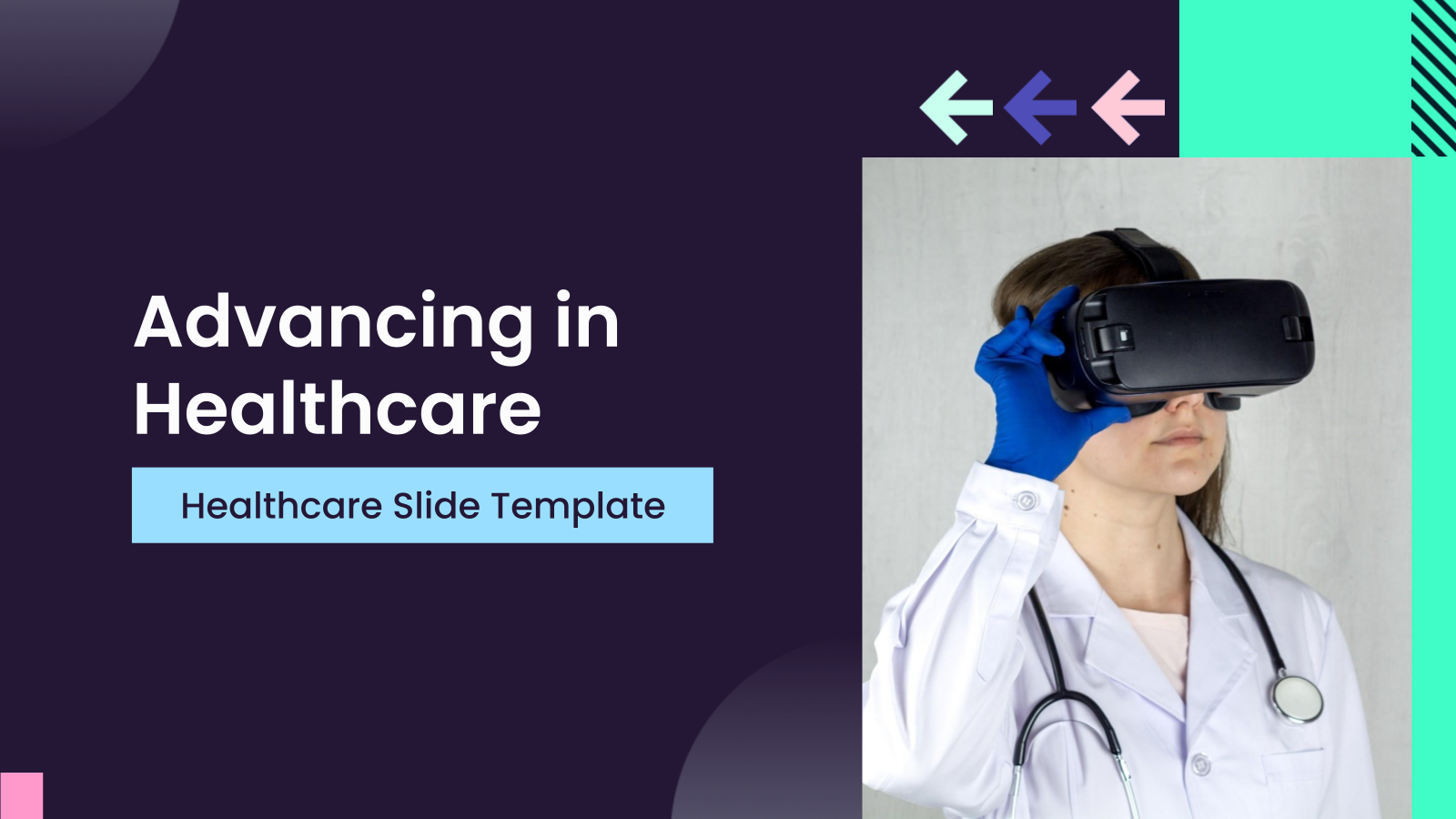
A medical presentation template is a professionally designed slide deck created specifically for healthcare and medical topics. It provides structured layouts for presenting clinical data, research findings, case studies, treatment plans, and healthcare strategies in a clear and organized format.
Where Can You Use Medical Presentation Templates?
- Studies & Research: Clearly display research objectives, methodology, statistical findings, charts, and conclusions for journals, conferences, or internal reviews using professional medical PowerPoint presentation template layouts.
- Clinical Case Presentations: Present patient history, diagnosis, imaging results, treatment approaches, and outcomes in a structured format that is easy for colleagues and supervisors to understand.
- Training & Development: Ideal for lectures, grand rounds, CME sessions, and medical school presentations where organization and clarity are critical.
- Patient Awareness: Create simplified slides that explain procedures, diagnoses, or treatment plans clearly and visually using structured PowerPoint presentation medical templates.
- Meetings for Healthcare: Use medical presentation templates for departmental briefings, morbidity and mortality conferences, quality improvement initiatives, and compliance discussions.
Whether you need free medical PowerPoint presentation templates for quick preparation or advanced editable layouts for detailed discussions, this format ensures professionalism.
What Makes These Medical Presentation Templates Special?
Not all medical presentation templates offer the same flexibility and efficiency. SlidesAI templates provide distinct advantages:
- Complete Customization: Every medical PowerPoint presentation template can be edited to match hospital branding, institutional guidelines, or research needs.
- Pre-Designed Professional Slides: Begin with expertly structured layouts instead of blank slides. This saves significant preparation time.
- Visual Consistency: Pre-defined themes ensure your medical presentation template maintains a cohesive look throughout.
- Professional Results Without Design Expertise: Even beginners can create polished PowerPoint presentation medical templates suitable for conferences and hospital settings.
- AI-Powered Slide Creation: With SlidesAI for Google Slides, you can input your outline and instantly generate organized slides. The AI formats text, structures sections, and creates visually balanced layouts.
If you are searching for free medical PowerPoint presentation templates that combine structure with flexibility, SlidesAI is your go-to partner!
How to Use This Medical Presentation Template?
- Microsoft PowerPoint: Click on Download > Click on “PowerPoint” > Click on the downloaded file to make a copy and start customizing/editing the template
- Google Slides: Click on Download > Click on “Google Slides” > Click on “Use Template” to make a copy and start customizing/editing the template
Create presentations in seconds. Enter text, and SlidesAI creates customizable slides based on that text in seconds, which complement all our templates.
Create Presentations Easily in Google Slides and PowerPoint
15M+Installs

Frequently Asked Questions
1. Can I match hospital or institutional branding?
Yes. You can customize fonts, colors, logos, and layouts within your medical presentation template.
2. Are these templates suitable for all medical specialties?
Yes. These medical presentation templates are flexible and work across medicine, dentistry, nursing, pharmacy, and public health.
3. Are they suitable for academic and conference presentations?
Yes. The professional design makes them ideal for journals, conferences, grand rounds, and academic settings.
4. Is special software required?
No. You only need Microsoft PowerPoint or Google Slides.
5. Do they work in Google Slides and PowerPoint?
Yes. Each medical presentation Google Slides template and PowerPoint version is designed for cross-platform compatibility.
6. Are they suitable for evidence-based presentations?
Yes. The layouts support charts, references, clinical data, and statistical analysis.
7. Can confidential patient data be presented?
Yes, but ensure all patient identifiers are removed, and HIPAA or institutional privacy guidelines are followed.
8. Are these templates useful for compliance training?
Yes. They work well for regulatory, safety, and hospital policy presentations.
9. Can I include medical images like X-rays or MRIs?
Yes. The medical presentation template supports diagnostic images, lab reports, and scans clearly.
10. Do they support data visualization?
Yes. They are optimized for charts, graphs, infographics, and timelines.
11. Can interdisciplinary teams use them?
Yes. Doctors, nurses, administrators, and allied professionals can collaborate using structured slides.
12. Can medical students use them?
Yes. Students can use the medical presentation template for exams, viva presentations, and coursework.
13. Are they suitable for virtual presentations?
Yes. These medical presentation templates look professional on both projectors and virtual platforms.
14. Are they beginner-friendly?
Yes. Even users without design experience can easily customize and present confidently.
15. Do they include reference slides?
Yes. Dedicated layouts allow proper citation and acknowledgment formatting.


